
Events
Events are the behavioural fabric of userGist. Every other feature (segments, surveys, push, in-app) reads from them. This page covers declaring them, sending them, and validating them.
What you get
- Event definitions — register event names, descriptions, and expected properties for your team and targeting controls. Names discovered during ingestion also appear here.
- Ingestion checks — the API validates the request contract and subject identity, and reports event-level preprocessing failures in its response.
- ClickHouse-backed storage — fast aggregations, sane retention.
- User activity feed — open a user profile to inspect their recorded events and interactions.
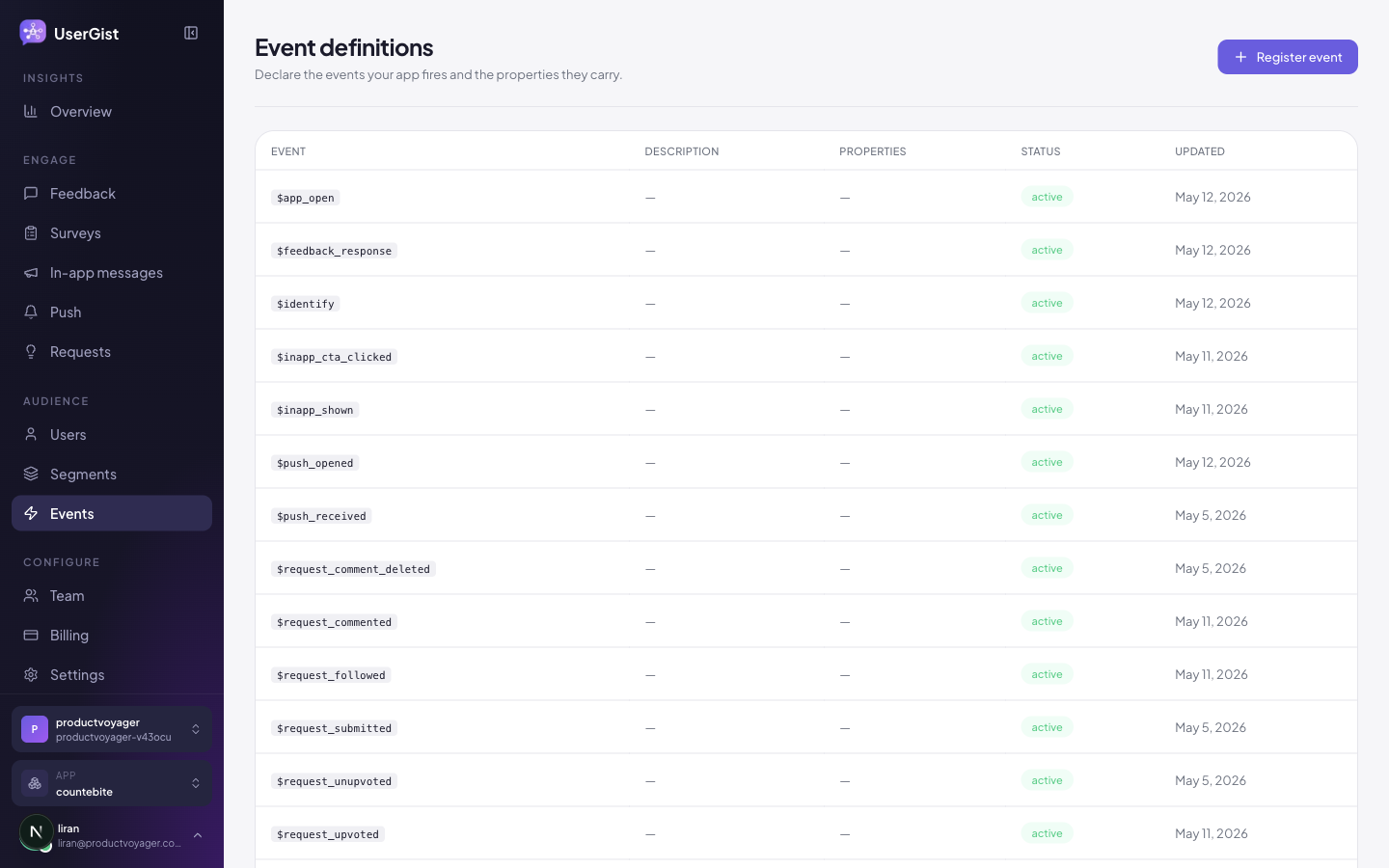
Declare an event (optional but recommended)
Declarations are optional — userGist accepts undeclared events. But declaring them gives you:
- A description of expected properties and their types.
- Autocomplete in the segment builder and survey trigger picker.
- A README for new teammates: "what events do we have, and what do they mean?"
- 1
Open Events → Register event
Sidebar → Audience → Events → Register event.
- 2
Name it
snake_case_verbs_in_past_tense—checkout_completed,subscription_upgraded,error_seen. - 3
Add a description
Where it fires, what it means.
- 4
Add properties
For each property: name, type (
string,number,boolean,date), required/optional. - 5
Save
The definition is now available to your team. Declared property types and required flags are metadata; the current ingestion service does not enforce them against event properties.
Send events from the SDK
UserGist.track('checkout_completed', {
  orderId: 'ord_991',
  amountUsd: 49,
  currency: 'USD',
})
Events are queued in encrypted on-device storage, batched (default 100 events / 15 s), and flushed in the background. They survive app restarts.
Lifecycle events
When lifecycle capture is enabled in App settings → General, supported SDKs record lifecycle activity automatically. Exact event names and availability depend on the SDK; $app_open is the shared app-open event. Use your SDK's guide and the user activity feed to check the events your integration records.
Sending events server-side
For direct HTTP ingestion, use the write key and authenticated subject token with the context and events envelope. A write key alone does not prove user identity, and a top-level userId is not the current batch format. See API → Ingest for the full authentication and payload contract.
Inspect activity and errors
Open Users, choose the relevant anonymous or identified user, and inspect Activity Feed. For ingestion errors, check the HTTP response: an invalid request contract is rejected as a whole, while event-level preprocessing failures appear in errors alongside accepted and rejected counts.
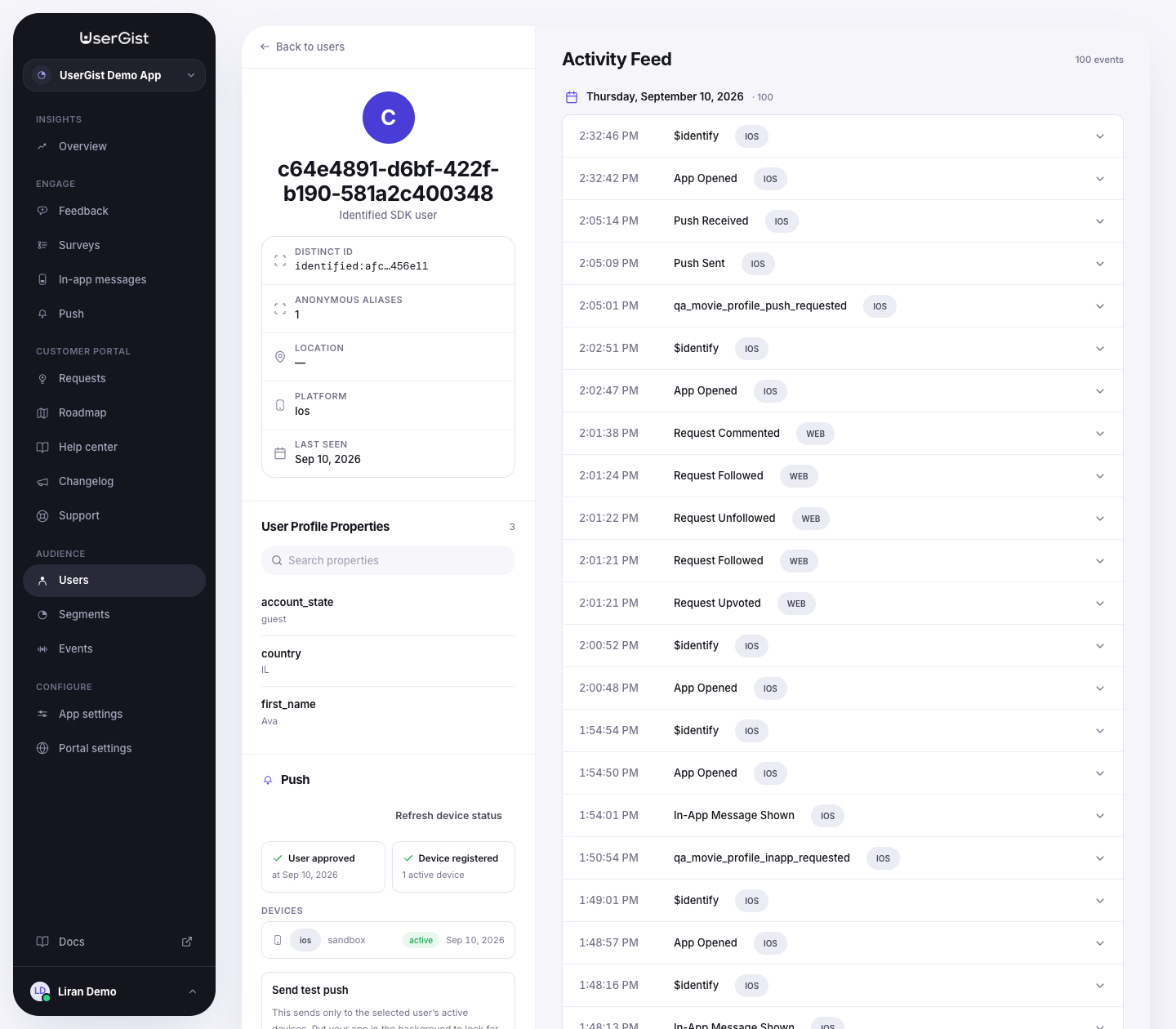
The Events page does not currently expose a global live feed, top-events report, or Dead-letter tab with replay controls. Event definition properties are not an ingest-time validation policy.
API
GET /v1/apps/:appId/event-definitions— listPOST /v1/apps/:appId/event-definitions— createPATCH /v1/apps/:appId/event-definitions/:id— updatePOST /v1/sdk/ingest— send events
Use activity in messages
Event properties can supply dynamic message fields. Choose Latest matching activity for the most recent matching event within a lookback, or Triggering event for the exact event that caused the message. Send display values and navigation values together, such as a show title, string ID and numeric playback position, and reuse that source across related fields. See Personalize messages for the movie example and the difference between historical activity and current user properties.