
Team & roles
UserGist supports viewer, editor, admin, and owner workspace roles. Roles control what a team member can read, edit, and configure. Owners can perform the admin actions below; ownership management follows its own workspace rules.
The matrix
| Action | Viewer | Editor | Admin |
|---|---|---|---|
| Read campaigns, users, events, segments | ✓ | ✓ | ✓ |
| Read analytics | ✓ | ✓ | ✓ |
| Read billing summary | — | — | ✓ |
| Create / edit prompts, surveys, in-app, push | — | ✓ | ✓ |
| Create / edit segments | — | ✓ | ✓ |
| Create / edit event definitions | — | ✓ | ✓ |
| Read portal settings, content, requests, and support conversations | ✓ | ✓ | ✓ |
| Triage requests and change their portal visibility | — | ✓ | ✓ |
| Create / edit / publish roadmap items, articles, collections, and release notes | — | ✓ | ✓ |
| Reply to support conversations and change their status | — | ✓ | ✓ |
| Configure and publish the company portal; include apps | — | — | ✓ |
| Configure app support and its notification recipient | — | — | ✓ |
| Manage write keys | — | — | ✓ |
| Upload push credentials | — | — | ✓ |
| Manage PII allow-list | — | — | ✓ |
| Invite / remove members | — | — | ✓ |
| Change billing plan | — | — | ✓ |
Invite a member
These roles belong to your team. A Customer Portal visitor who verifies their email does not become a workspace member. Visitors can participate in the portal and see their own support conversations; SDK users remain anonymous or identified app users. See Customer Portal identity.
- 1
Open Members
Sidebar → Team → Members.
- 2
Click “Invite member”
Enter their email, pick a role, send.
- 3
They get a magic-link invite
Invite links are valid for 7 days. Re-send anytime from the members list.
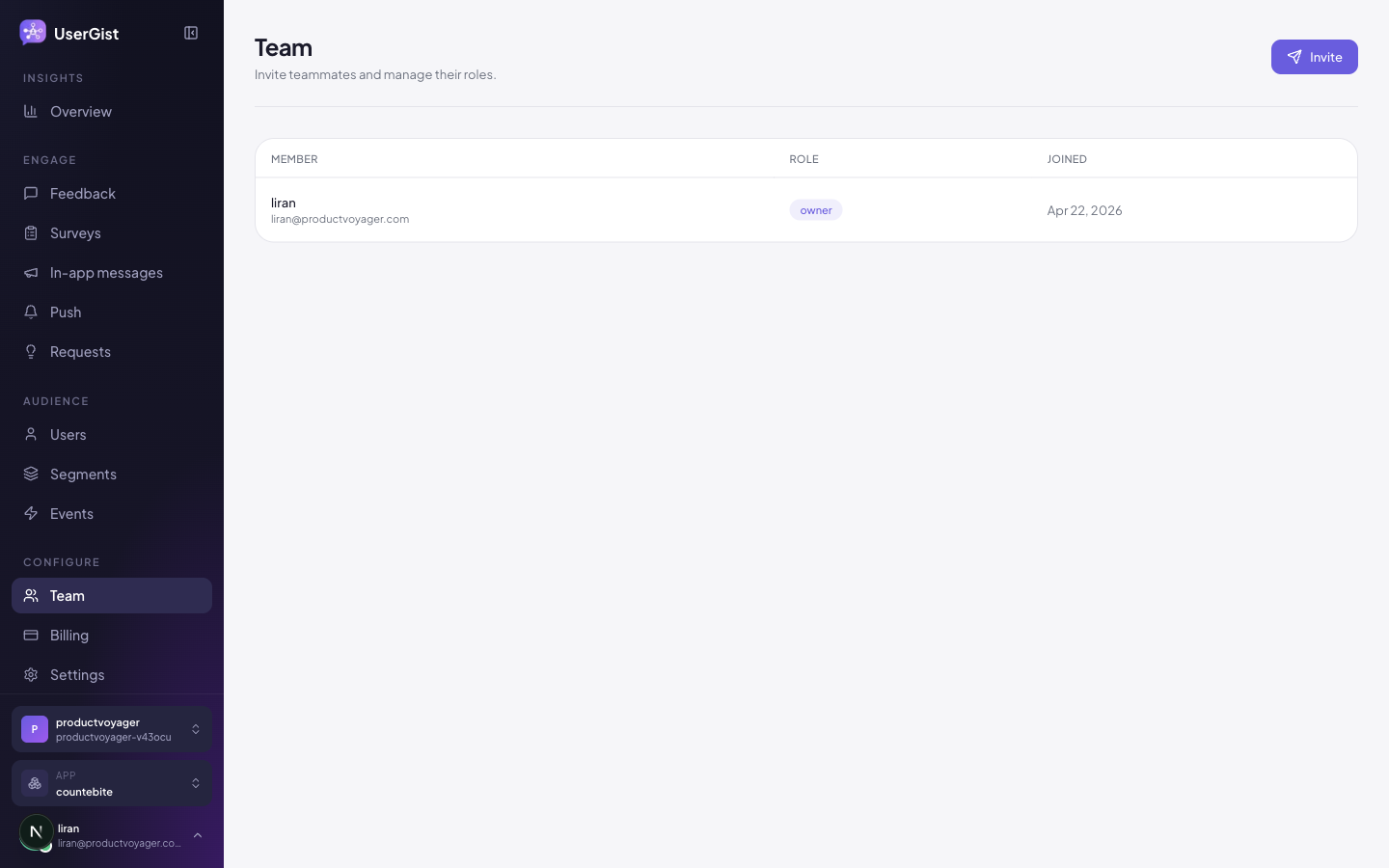
Change a role
Click a member → pick a new role from the dropdown. Takes effect on their next page load. You cannot demote the last remaining admin — promote someone first.
Remove a member
Same row, kebab menu → Remove. Their pending invites are revoked; any session they had is invalidated.
Auditing
Workspace-level actions (member added/removed, write key rotated, push credential uploaded) are recorded in the audit log at Settings → Audit log. Admins only.