
Customer Portal
Your Customer Portal is a shared place where customers suggest ideas, follow product progress, read release notes, and find help. One workspace owns the company portal; each included app has its own requests and content.
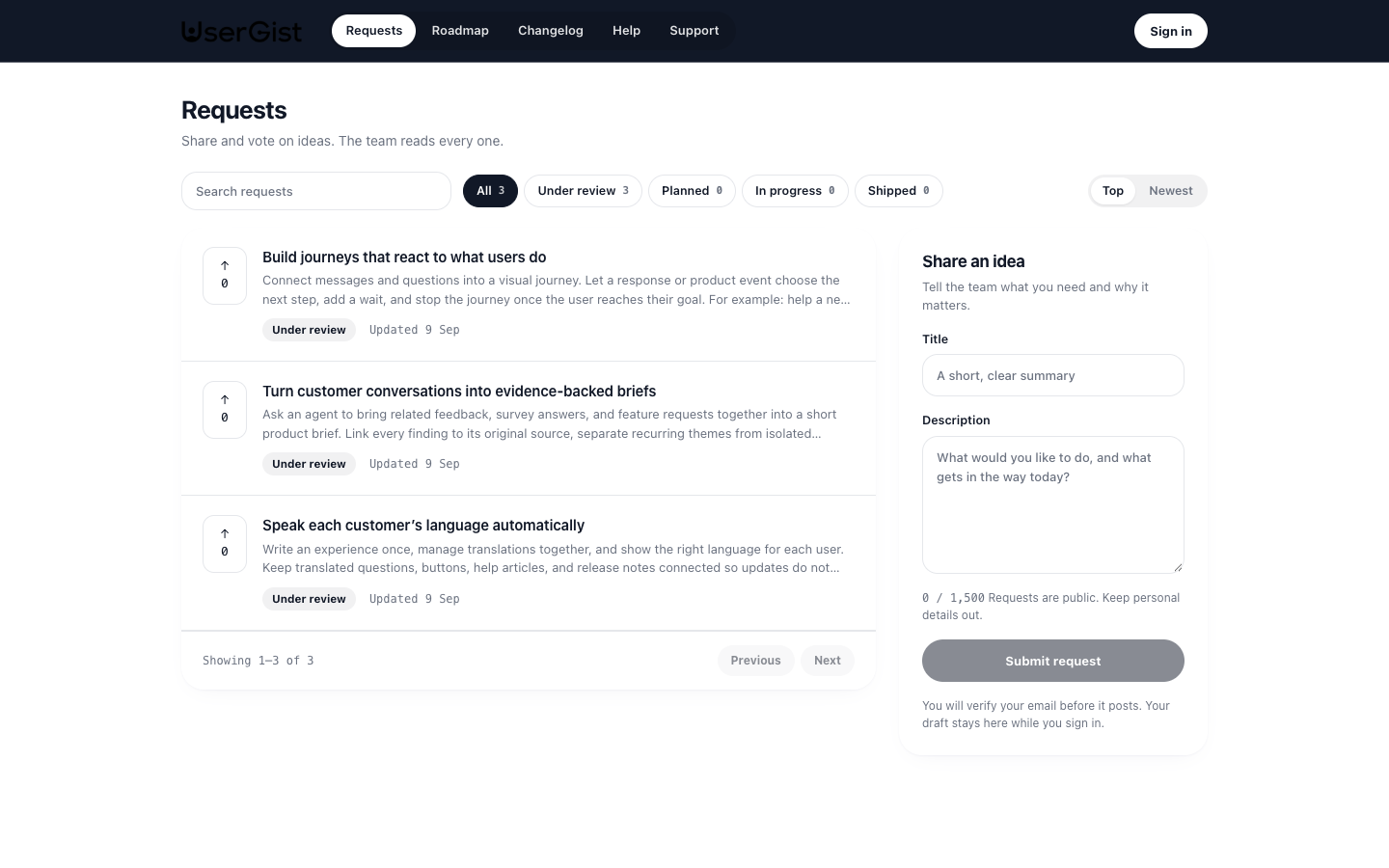
Explore the UserGist Customer Portal for a live example. The public screenshots in these guides come from this portal; dashboard screenshots use a demo app.
Engage and Customer Portal
Engage delivers feedback prompts, surveys, in-app messages, and native push notifications through your SDK integration. These experiences use audiences, triggers, and consent inside your product.
Customer Portal publishes pages customers can return to. You can set up a portal and write content before connecting an SDK. SDK request boards and portal requests use the same app's request records, with separate visibility and authentication rules.
| Portal area | What your team manages | What customers find |
|---|---|---|
| Feature requests | Ideas, votes, status, responses, moderation, and public visibility | Published requests and a way to submit and vote |
| Roadmap | Team-created items and linked customer requests | Planned, in-progress, and shipped work |
| Changelog | Release-note drafts, images, and related work | Published product updates |
| Help center | Articles and collections | Searchable answers organized by topic |
| Support | Private conversations and replies, when support is enabled | Their own conversations with your team |
Company portal and app spaces
For a company address acme and app path mobile, the hosted portal uses:
- Company directory:
https://acme.usergist.com - Requests:
https://acme.usergist.com/mobile/requests - Roadmap:
https://acme.usergist.com/mobile/roadmap - Changelog:
https://acme.usergist.com/mobile/changelog - Help center:
https://acme.usergist.com/mobile/help - Support, when enabled:
https://acme.usergist.com/mobile/support
Use the URLs shown in Portal settings. Company and app addresses become fixed after their first publication. Content remains scoped to its app, even when several apps share one company portal.
What becomes public
There are three decisions:
- An admin includes the app in Portal settings.
- An admin publishes the company portal.
- An editor publishes the individual requests, roadmap items, help articles, or changelog entries customers should see.
Including an app or publishing the portal does not publish all its content. Drafts stay private. Hidden requests remain hidden, even if marked for the portal. Support conversations are private to the visitor and your authorized workspace team.
Help articles and changelog entries keep a published snapshot: saving a draft does not replace the live version until you publish changes. A published roadmap item's saved changes update its live content directly.
Visitors and identity
Customers can read public content without signing in. To submit an idea, vote, or start a support conversation, they verify their email with a six-digit code. Request submissions and votes also require feedback consent.
Portal visitor sessions are separate from dashboard team accounts and SDK subject tokens. SDKs support both anonymous and identified app users. A portal participant has an app-scoped portal-origin identity; matching an email does not automatically merge it with an SDK user. See Users & identity and API authentication.
Availability
If Public hosting is not ready appears, you can prepare settings and preview content, but cannot publish yet. Help center, Changelog, and the expanded Roadmap also depend on the environment's portal-content release. Support has its own availability switch and per-app settings. These are separate from whether a particular item is published.
The current hosted portal does not provide an iframe embed mode. The earlier ?embed=1 instructions do not apply to this portal. Use a normal link or the SDK request board; see Share your portal & roadmap.
Changelog publication is manual rather than scheduled. Portal request participation currently offers submission and voting; comment and follow APIs belong to the SDK surface. Automatic request-update notifications queue in-app SDK instructions, without native push delivery. Support uses plain-text portal conversations rather than attachments or inbound email replies.
Where to start
- Set up and brand your portal
- Collect and publish feature requests
- Customer Portal API
- Portal content API
- Use an AI assistant to prepare content and manage requests