
Write keys
A write key is the public client identifier your SDK uses to authenticate to the ingest API. Keys are app- and environment-scoped, rotatable at any time, and shown in plaintext exactly once.
Where to find them
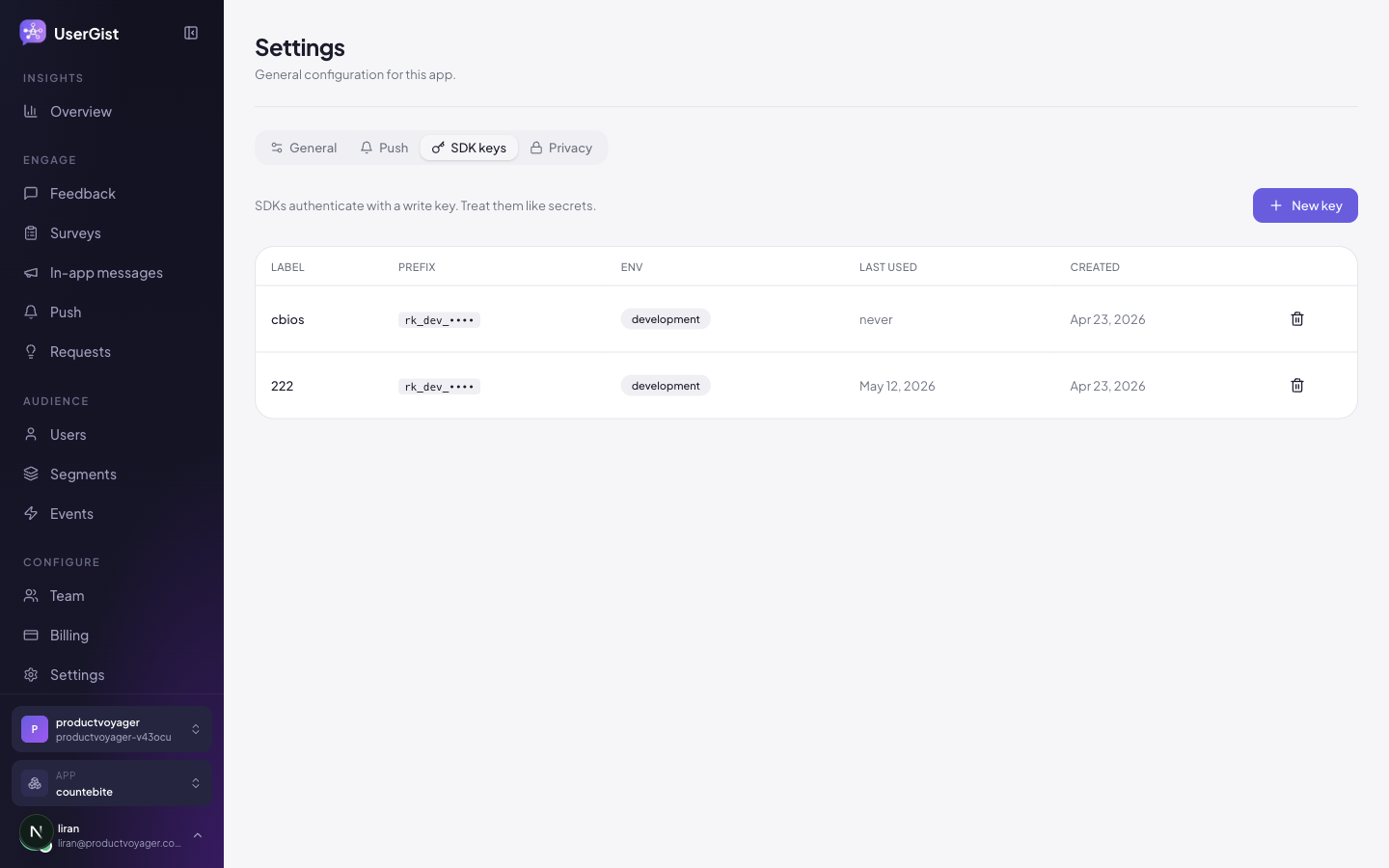
App settings → SDK keys. The page lists every active key with:
- A masked preview (
rk_live_•••••XXX). - The date it was created.
- The last time it was used.
- A revoke button.
Create a new key
Click New write key. userGist generates an rk_live_… key and shows it in plaintext once. Copy it into your SDK configuration immediately — you cannot retrieve it later.
We store only a sha256 hash of the key on our side, so we literally can't show it to you again.
Rotate a key
Standard rotation procedure:
- 1
Create the new key
Generates
rk_live_NEW…. - 2
Deploy your apps with the new key
Roll it out to your build pipeline. Both keys are valid simultaneously.
- 3
Wait for old-key traffic to drop
Watch the last used timestamp on the old key. Once it hasn't been hit for 24h (≥ 95% of users updated), proceed.
- 4
Revoke the old key
Click Revoke on the old row. Any client still using it gets
401.
Scopes
All write keys are scoped to a single app — they can ingest events for that app and nothing else. The dashboard uses a separate session cookie; no write key has dashboard access.
Rate limits
Per-app ingest rate limits apply:
Free and paid usage have the same service-configured limits. There are no pricing packages or enterprise tiers.
Going over returns 429 with Retry-After; the SDK respects it via exponential backoff.
Best practices
- A mobile write key is extractable from a shipped application. Keep it out of public sample code and build logs, rotate it when abused, and rely on subject tokens, tenant limits, and server authorization for user-level security.
- Environment injection is convenient for release management, but it does not make a value secret once it is compiled into a mobile binary.
- Rotate every 6 months as a hygiene practice; immediately on any suspected leak.
- Use separate apps (and separate keys) for production vs staging.